

A recruiter's guide to automating your job search with Claude — daily scans, filtered lists, remote roles you can take from CEE.
CEEhire.com · Guide · June 2026
Searching for a job is work. Unpaid work. You check five job boards before breakfast, scroll past the same stale listings, and the good roles close before you find them. I see this from both sides: I'm a recruiter, and by the time most candidates apply, the first interviews are already booked.
You've probably read guides about using ChatGPT for this. Claude — the AI assistant from Anthropic — can do the same job, and a few things beyond it. I know because I use these tools daily at CEEhire: they do the first rough filter over the boards, and then I check every single job myself before it gets listed. The tool sorts, the human verifies. This guide comes from that practice, not theory.
What Claude does that job alerts don't
Job alerts match keywords. Claude reads.
That's the whole difference. An alert sees "remote" in a title and sends it to you. Claude can open the listing, read the full description, and tell you that "remote" means remote-within-the-US and you'd be wasting an application from Kraków or Cluj.
In one request, Claude can:
Search several job boards and company career pages at once, using its built-in web search.
Read full descriptions, not titles — which is where the "remote (US only)" traps hide.
Filter by your rules: stack, seniority, contract type (employment vs. B2B), salary floor.
Return results in the same format every time: title, company, link, salary if listed, posting date.
Flag warning signs: no salary range, a company with no footprint, a role that's been reposted for four months.
That last point matters more in CEE than anywhere else. Our market is full of listings that look remote and aren't, or look open to EU candidates and aren't. A tool that reads the fine print saves you from applying into a wall.
Before you write a single prompt, decide three things
The output is only as good as your instructions. Vague request, vague results. Decide this first:
Where you are and how you work. Don't write "remote". Write "remote, doable from Hungary" or "remote, EU-based candidates accepted, B2B contract". Location rules are where most CEE applications die, so put yours in every prompt.
The exact titles and skills. Use the words that appear in job ads you like. If the ads say "Platform Engineer", search for that, not "DevOps-ish roles". Add your core stack: Python, Go, Kubernetes, whatever is true.
What you never want to see. "Internship", "junior" (if you're senior), staffing agencies, US-payroll-only, equity-instead-of-salary. Exclusions clean up your list more than any other instruction.
A weak request: "Find me remote developer jobs."
A strong one: "Remote senior backend roles, Python or Go, at EU or UK companies that hire from Poland on a B2B contract. Salary listed. No junior roles, no agencies, posted in the last 7 days."
Step 1: The daily prompt on claude.ai
Claude has web search built in — free accounts included. Open a chat and paste something like this:
Search for new remote [job title] roles posted in the last 48 hours
that I can take from [your country].

My rules:
- Titles: [exact titles, e.g. "Senior Backend Engineer", "Platform Engineer"]
- Stack: [your core skills]
- Contract: [employment / B2B / either]
- Must state that EU or CEE-based candidates are accepted
- Exclude: [internship, junior, agencies, US-only...]

Check these places: [LinkedIn Jobs, your favourite boards,
plus career pages of 3-5 companies you'd love to work for].

For each match, give me:
1. Job title and company
2. Direct link
3. Salary, if listed
4. Posting date
5. One line on why it fits my rules — and one risk you noticed

Skip duplicates. If a listing says "remote" but limits hiring
to certain countries, tell me instead of hiding it.
That last instruction is the one job alerts can't follow. You're not asking for a list. You're asking for a read.
Make it stick with a Project. On claude.ai, create a Project and put your CV and your rules into its instructions. After that, your morning routine is one line: "Find today's new roles." No re-explaining. Every chat in that Project already knows who you are, what you do, and what you're after.
Step 2: Put it on a schedule with Cowork
This is where Claude pulls ahead of a manual routine. Claude's desktop app includes Cowork — available on paid plans (Pro and up, Mac and Windows) — and Cowork can run scheduled tasks: hourly, daily, weekdays, weekly.
Set a task for 8:00 every weekday morning:
Every weekday at 8:00, search [your boards and company career
pages] for new roles matching the rules in my criteria file.
Compare against yesterday's list and skip anything I've already
seen. Save the results as a dated markdown file in my job-search
folder, newest first.
Because Cowork works with files on your computer, it can keep a running archive of every list it has made, mark which roles you applied to, and skip them next time. An alert email can't do that. A folder of dated shortlists can.
One honest limitation: Cowork tasks run while your computer is awake and the app is open. It's not a server in the cloud — think of it as an assistant who starts working when you sit down at your desk. If your machine was asleep at 8:00, the task runs when you're back.
Step 3: The part no job alert will ever do
Here's where Claude stops being a search tool and starts being an assistant. The list lands, and you keep working in the same chat:
"Compare role #2 against my CV. What's missing, and what should I emphasise?"
"What does this company build, how do they make money, and what's in their news from the last six months?"
"Is €6,500/month normal for a senior DevOps engineer on a B2B contract in Romania?"
"Draft a short application note for #4 in plain English, based on my CV. No buzzwords."
"Run a mock interview with me for this role. Ask the hard questions first."
One warning from a recruiter who reads applications for a living: edit anything Claude drafts before you send it. We can tell when a cover note came straight out of a model — they all have the same rhythm. Use the draft as a skeleton, then make it sound like you.
What to keep in mind
A few things this setup won't do, so you're not surprised:
Claude can't log into your accounts. Listings behind a LinkedIn login need you to open them.
Some boards block automated reading. If a site won't load for Claude, it will say so — check that one by hand.
Treat the output as a scout's report, not ground truth. Click the links. Models make mistakes, and a dead link costs you nothing if you check before you apply.
Why the timing matters
Roles get applications within hours of going live, and recruiters read them roughly in the order they arrive. Plenty of companies unpost a role after a few hundred applications land. If your routine is "check the boards when I remember to", you're applying into the second half of the pile.
A scheduled morning scan flips that. You see the fresh postings on day one, you apply the same day, and you walk into the week with your search already done. The half hour you used to spend scrolling goes into the application itself — which is the part that gets you hired.
One thing no tool can fix
Claude can filter the noise. It can't fix listings that were broken before you found them — the fake-remote roles, the ghost jobs, the "competitive salary" that means nothing.
That's the part I do by hand. At CEEhire, Claude helps with the first pass — the same way I've shown you above — but no job goes live until I've opened it, read it, and confirmed it: real company, real remote, open to IT professionals working from Central and Eastern Europe. AI filters. A human decides. If you'd rather start from a list where that checking already happened, that's ceehire.com — and the weekly email brings the new verified roles to your inbox.
Set the assistant up anyway. Use both. Your time is the one thing in a job search you can't get back.
Related posts

AI hiring is changing Agentic AI isn’t the only area seeing strong growth. Demand for GenAI Solutions Architects and AI Product Owners increased by 120%, while demand for LLM Engineers rose by 86.5% and MLOps Engineers by 82.2%. At the same time, AI is taking over more routine technical work. According to the analysis, it can already handle up to 70% of routine ticket resolution and reporting tasks and automate around 65% of test-case creation.
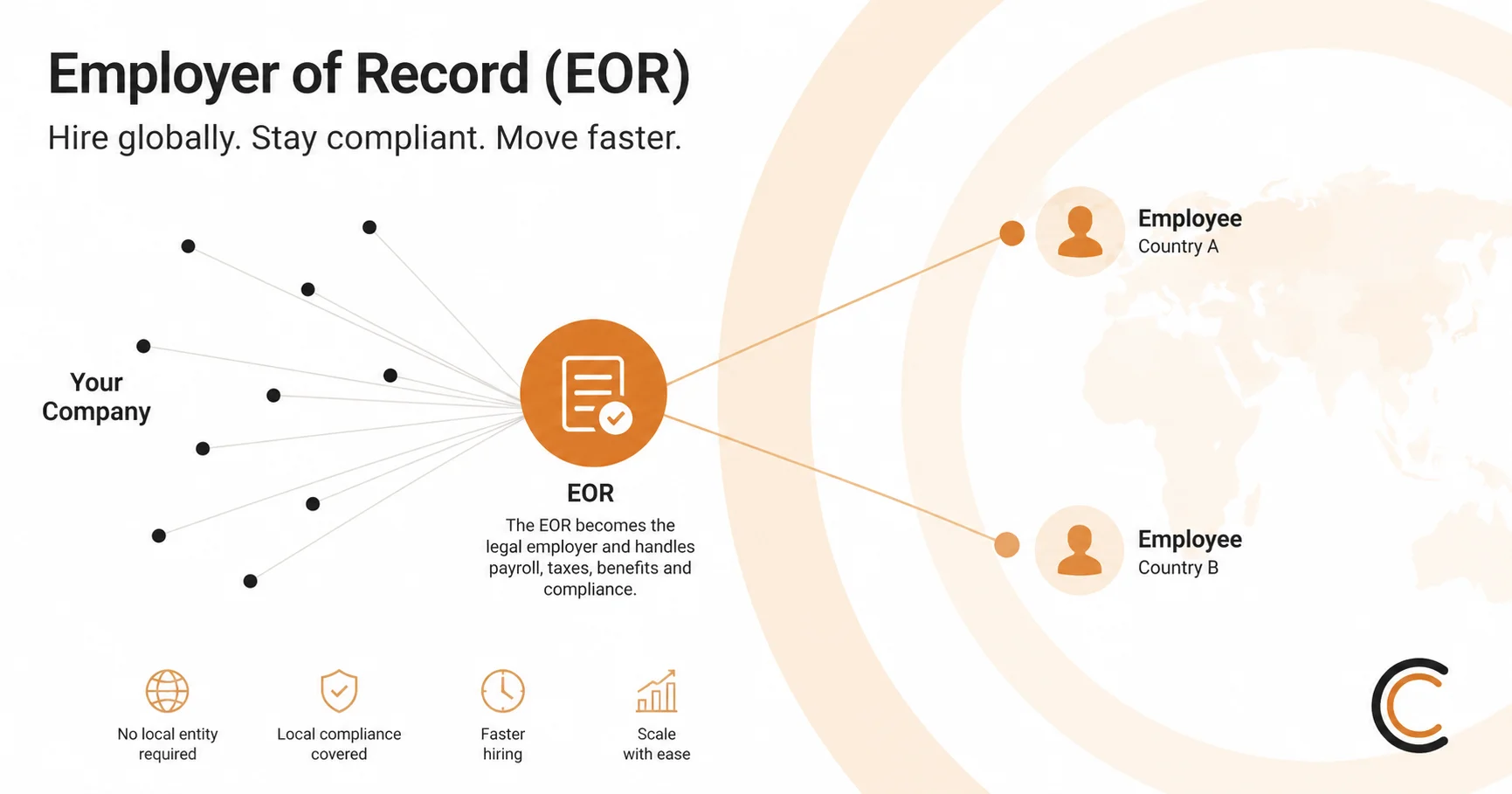
What is an Employer of Record, how does it work, and when does it actually make sense for hiring CEE tech talent? A practical 2026 guide — plus the leading EOR providers compared.

Job boards are getting harder to use for both recruiters and candidates. AI tools now apply to jobs automatically, and the usual fix, building a local network and showing up in person, gets a lot harder once the candidate and the company are in different countries.